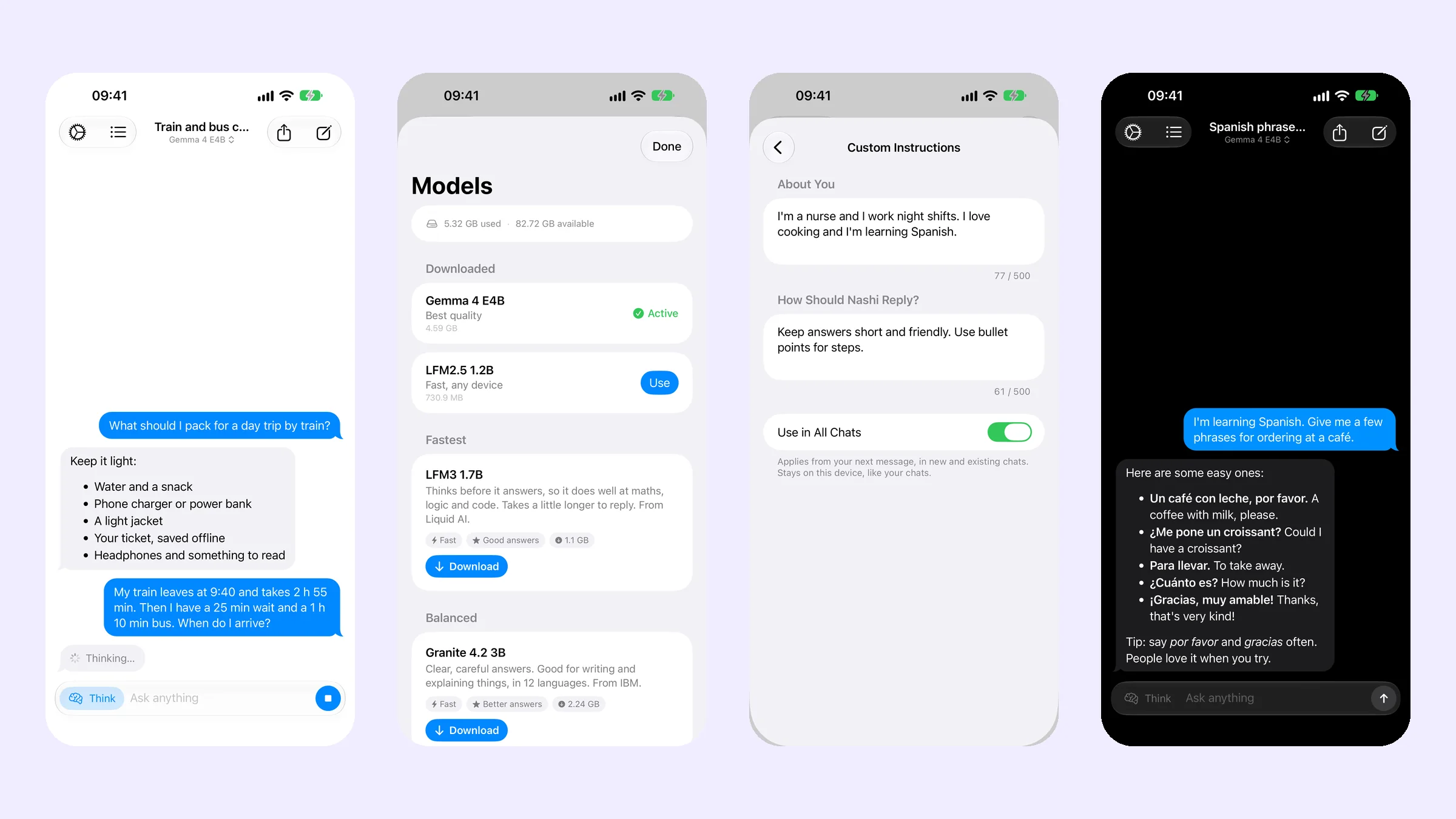
What's new in Nashi 1.1?
- Five new models. LFM2.5 1.2B and LFM3 1.7B from Liquid AI, Granite 4.2 3B from IBM, and Gemma 4 E2B and E4B from Google. They are newer than the models they replace, and on an iPhone 15 Pro Max the smallest writes about 40 tokens a second. See choosing a model in Nashi for how they compare.
- The right model, in plain words. The Models screen puts the best model for your device at the top, then groups the rest as Fastest, Balanced and Best Answers. Each card says how fast it is, how good the answers are and how big the download is. The technical details are still there, at the bottom of each model's page.
- Think mode. A Think button next to the message box lets the model work through a problem before it answers. Use it for maths, planning and logic. More in what Think mode does.
- Custom instructions. In Settings › Custom Instructions, tell Nashi about yourself and how it should reply. It applies to every chat and stays on your device.
- Share a chat. Send any conversation as a text file, from the chat or from History. Search your history to find it first.
- iPad layout. On iPad your chats sit in a sidebar next to the open one, with keyboard shortcuts for a new chat and for sending.
- Light, dark or system. Settings › Appearance lets you pick, or follow your iPhone.
- 18 languages. The app is now in English, Arabic, Chinese (Simplified and Traditional), Dutch, French, German, Indonesian, Italian, Japanese, Korean, Polish, Portuguese, Russian, Spanish, Swedish, Turkish and Vietnamese.
- More reliable. Downloads pause and resume, and every file is checked before it is used. Long chats keep working, and a reply stops cleanly when you leave the app.
Do my chats and models carry over?
Yes. Your conversations stay where they were, on your device. Models you downloaded before keep working. The Models screen now only offers the five new ones, and the one Nashi recommends for your device is the best place to start.
Does Nashi still work without internet?
Yes, exactly as before. Once a model is downloaded, Nashi runs on your device's own chip. Switch on Airplane Mode and keep chatting. The only time Nashi uses the internet is to download a model from Hugging Face, over Wi-Fi unless you allow mobile data.
What does it cost?
Nothing extra. Nashi is still $0.99, once, with no subscription, no in-app purchases and no ads, and the update is free. If you haven't tried it yet, a flight or a commute is a good first test: here is how to use AI on a plane.