Nashi · Private AI chat for iPhone and iPadYour AI. On your phone. Nowhere else.
Nashi runs a large language model directly on your device. No servers. No accounts. No telemetry. Just you and an assistant that actually respects your privacy.
$0.99 · one-time purchase · iPhone and iPad
Every mainstream AI chatbot sends your conversations to someone else’s computer. Nashi doesn’t. The model runs directly on your phone using llama.cpp, so your questions, drafts, and half-formed ideas stay exactly where you wrote them. Airplane mode? Still works. Bad signal? Still works. Forever? Still works.
What makes it different.
Every feature is built around one principle: your data stays with you.
Runs fully on-device
Powered by llama.cpp, running entirely on your device. No server round-trips. No login. The model is downloaded once and then it’s yours.
Zero telemetry, zero tracking
No analytics SDK. No crash reporter that phones home. No "anonymous usage data." The app doesn’t have your data because there’s nowhere for it to go.
Works in airplane mode
Because there’s nothing to connect to. Use it on a flight, in the subway, in a cabin with no signal. The experience is identical.
Choose your model
Download the model size that fits your device and your needs. Smaller models for speed, larger ones for depth. All local.
Conversations stay local
Chat history is stored on your device, with no sync and no server copy. Delete the app and it’s gone.
Pay once. Keep it forever.
One-time purchase. No subscription. No "AI credits." You buy the app, you own it.
See it in action.
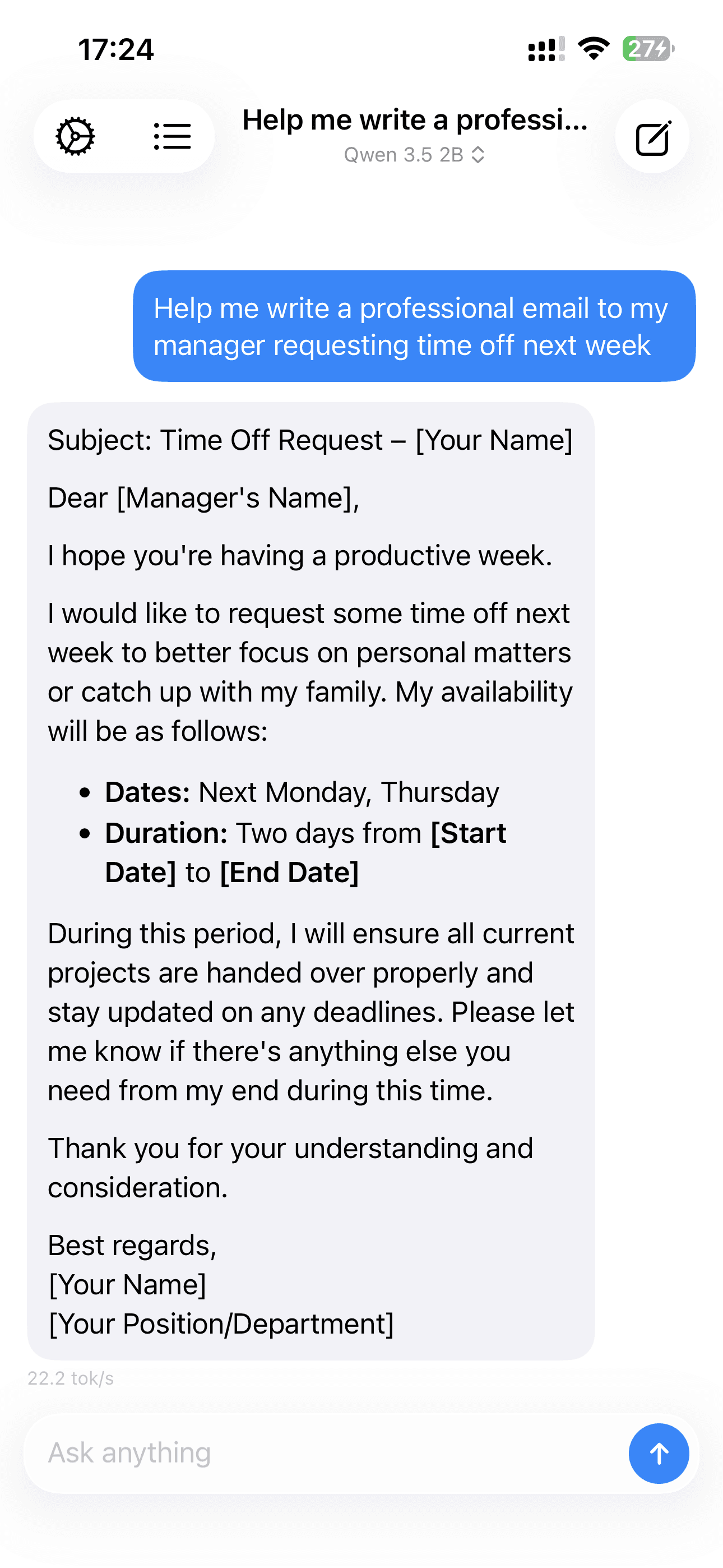
A familiar chat interface. Nothing unfamiliar happens behind it. 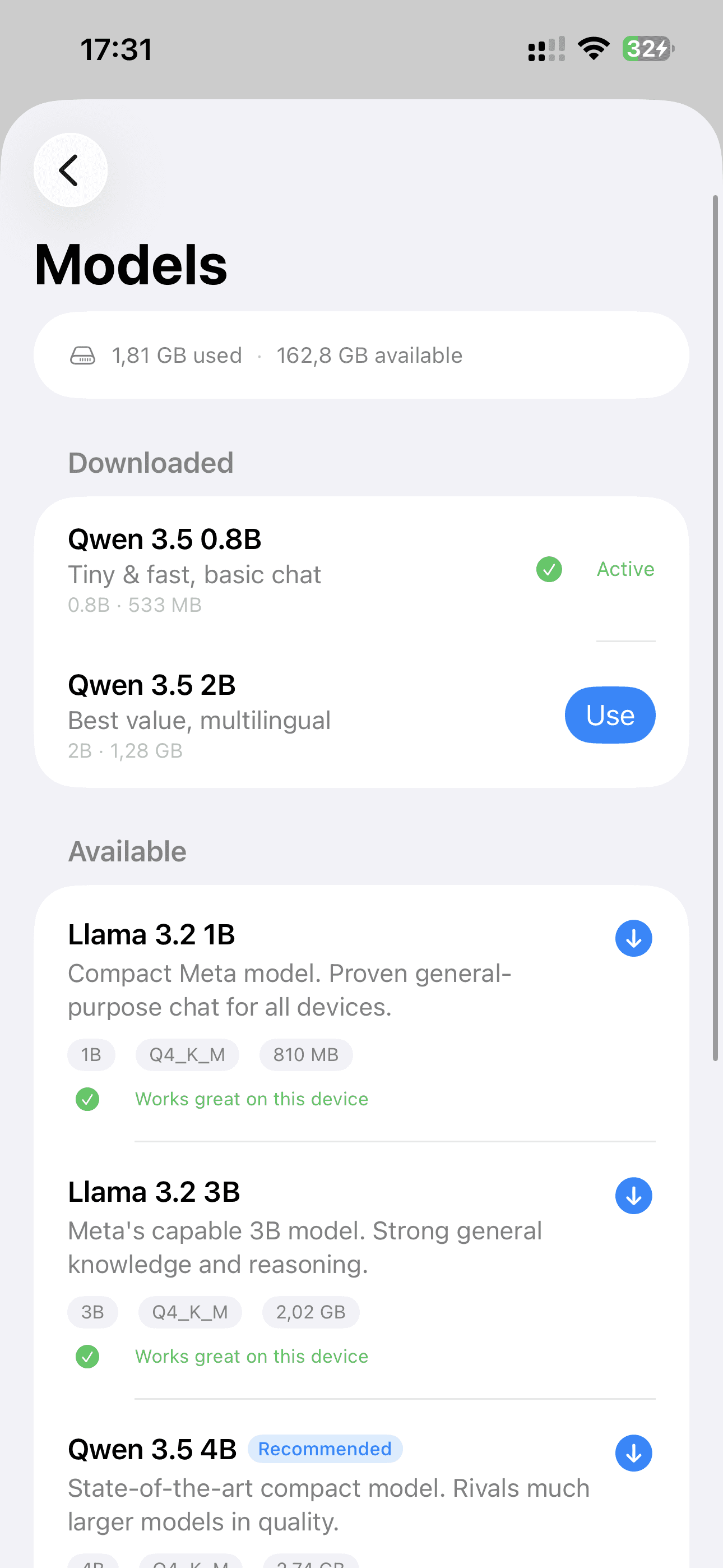
Pick a model. Download it once. It’s yours. 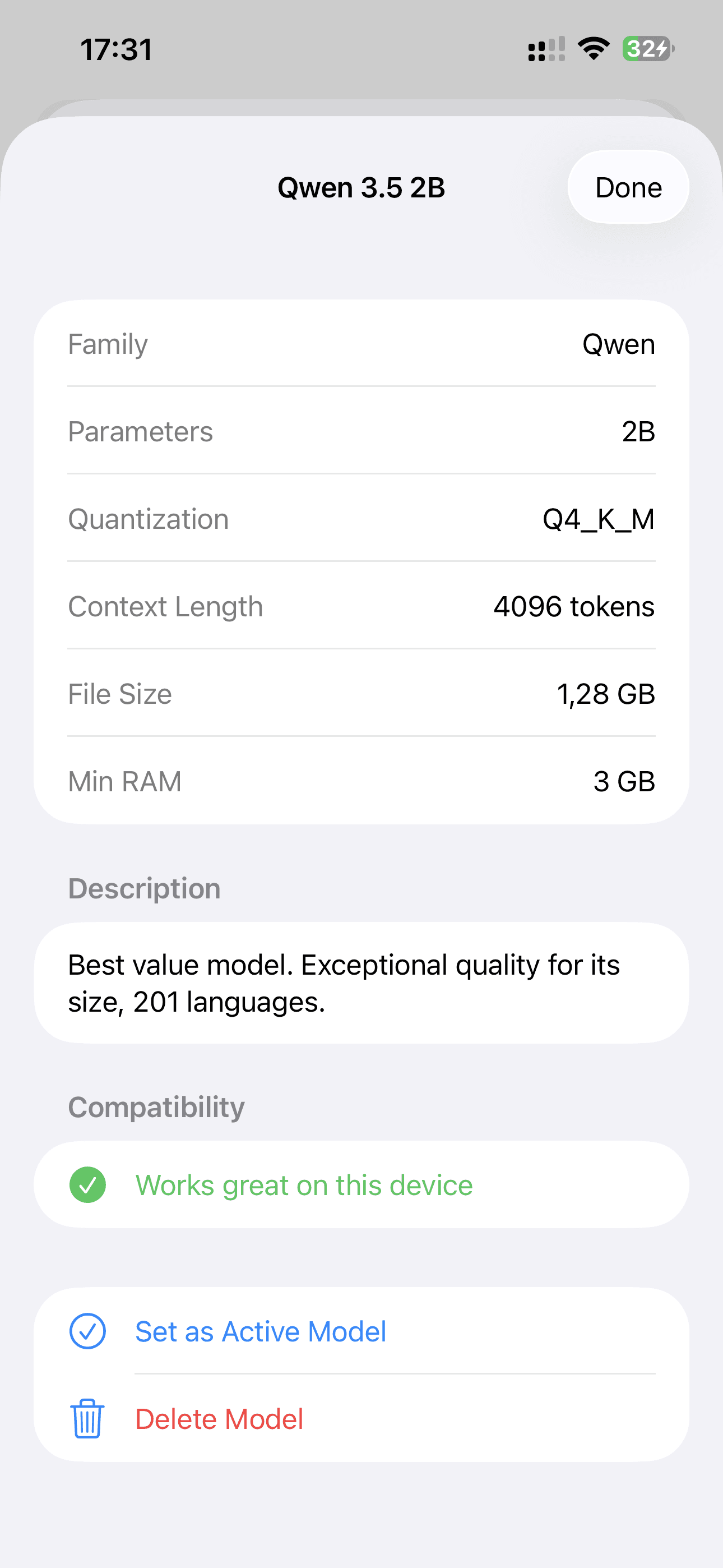
Know exactly what’s running on your device. 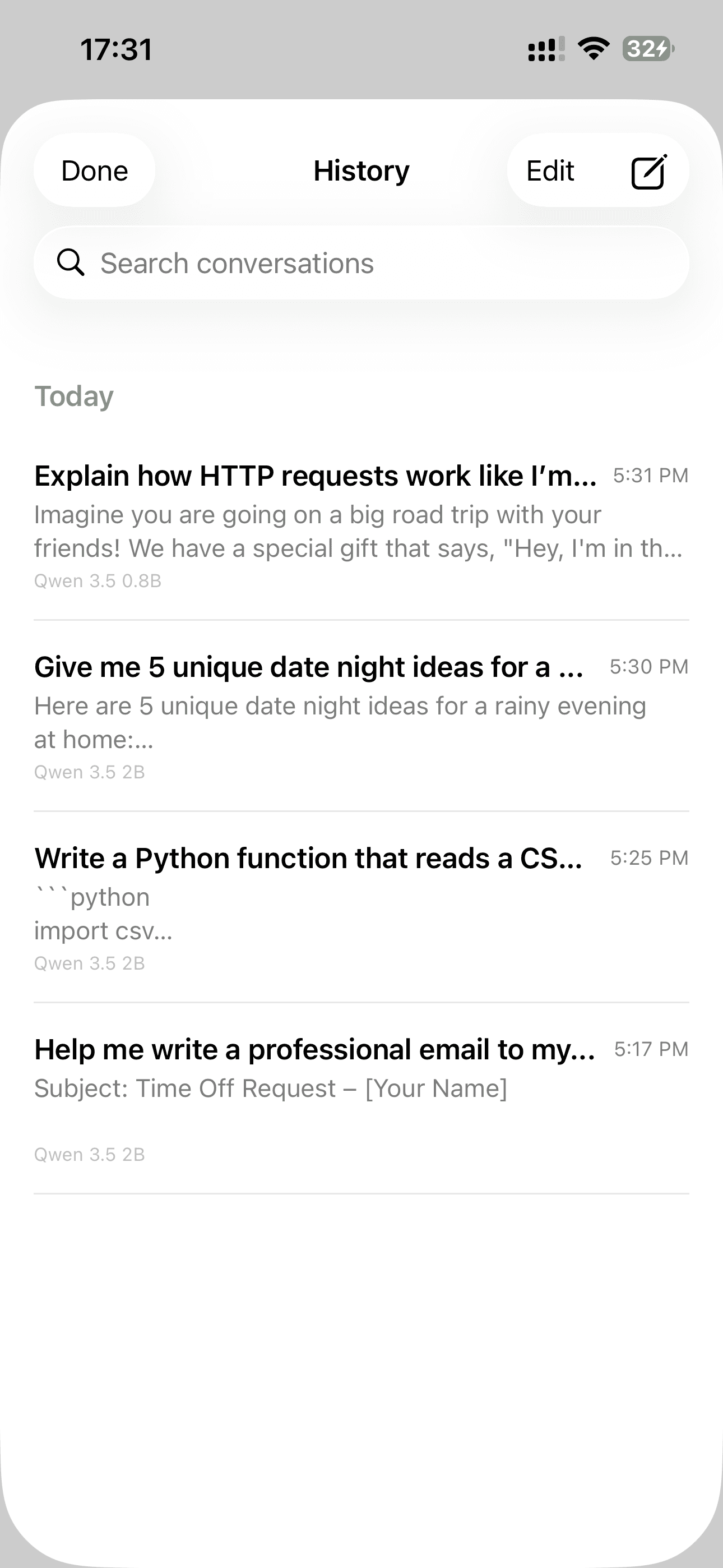
Every conversation stays on your phone. Always. 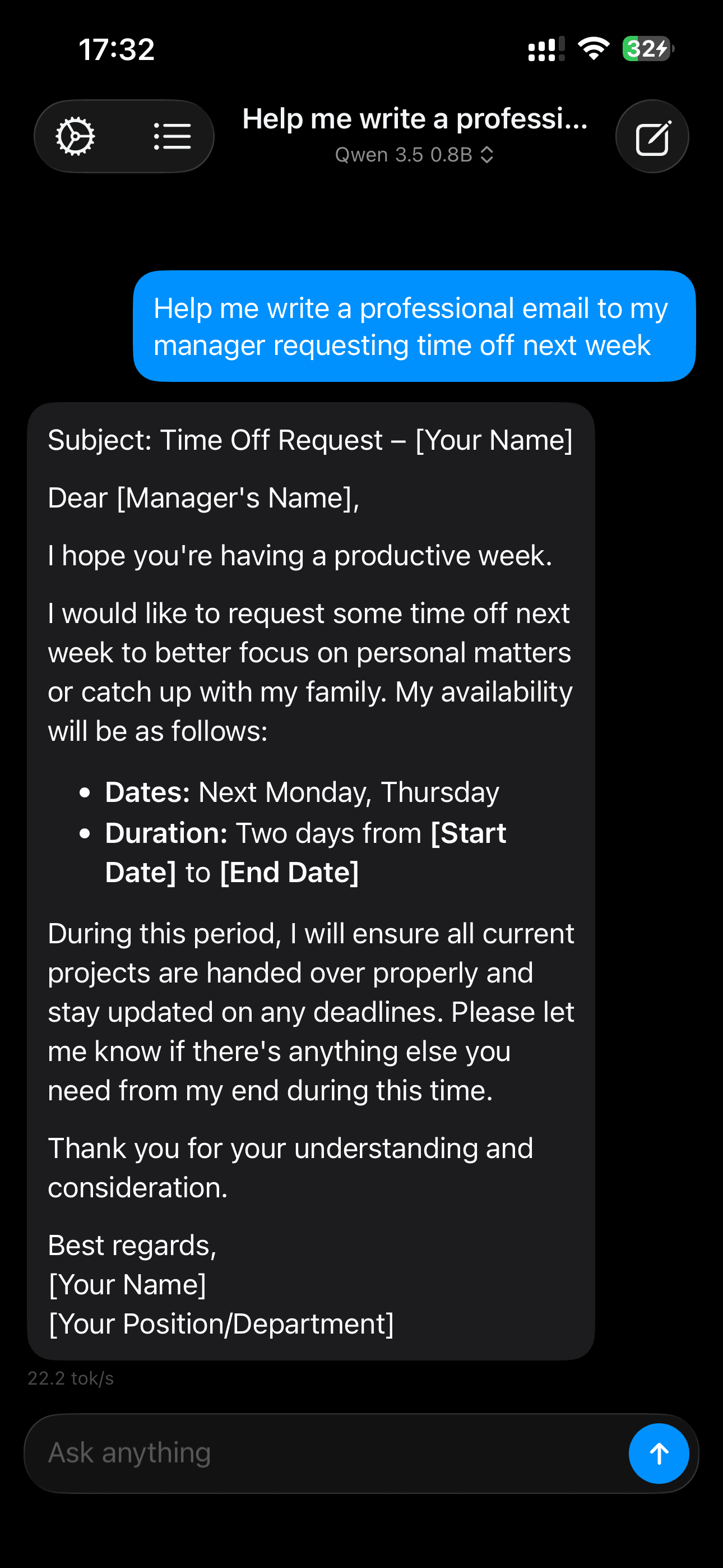
Quietly at home, day or night.
Privacy is the architecture.
- Every message stays on your device. Always.
- No account. No sign-up. No email required.
- No analytics. No crash reporting. No telemetry of any kind.
- The App Store privacy label reads "Data Not Collected", because none is.
- Open about what models you download and where they come from.
Simple pricing.
No tiers. No credits. No surprises.
Nashi
$0.99once
Every feature, every update.
- All features included
- Free updates
- No subscription, ever

Guides and use cases.
How people use Nashi, and answers to the questions we hear most.
- GuideGetting good answers from a small modelHow do you get good answers from a small AI model on your phone? Give it the material, ask for one thing at a time, and prefer rewriting to inventing.Read
- GuideChoosing a model in NashiWhich AI model should you run on your iPhone? Start with Gemma 3 1B, then go bigger if answers feel thin. How Nashi matches its nine models to your memory.Read
- BlogNashi is live on the App StoreNashi, a private offline AI chatbot for iPhone and iPad, is live on the App Store. It runs entirely on your device: no cloud, no account, no telemetry.Read
- BlogWhy offline AI mattersCan an AI chatbot work offline? Nashi runs open models on your iPhone, even in airplane mode. What stays private, what you give up, and who it is for.Read
Frequently asked questions.
Does Nashi really work without internet?
Yes, completely. After you download a model once, the app works entirely offline, including in airplane mode, flights, and anywhere with no signal.
Which devices does it run on?
Any iPhone or iPad that runs iOS or iPadOS 26 or later. Nashi shows which models fit your device’s memory; larger models run best on recent Pro iPhones and M-series iPads.
How does it compare to ChatGPT?
Different trade-off. ChatGPT runs a large model in a data center and sends your conversations there. Nashi is an app that lets you download open-source models and run them on your device. The cloud models are more capable; Nashi is private, offline, and yours.
Can I trust the privacy claims?
You can check them yourself: download a model, switch on Airplane Mode, and keep chatting. The App Store privacy label for Nashi reads “Data Not Collected.”
Will there be updates?
Yes: support for new models and a better interface. All updates are free for the lifetime of the app.
What if I lose my phone?
Nashi keeps no copy anywhere, so the history lives only on your device. If you use iCloud or computer backup, your chats come back when you restore that backup to a new phone; without one, they are gone with the phone.
More from trulyoffline.

Get Nashi.
A private AI chatbot that runs entirely on your device. $0.99, once. Yours for good.