ScribeKit · Offline transcription for iPhone and iPadVoice to text. Without the middleman.
ScribeKit turns recordings and audio files into text right on your iPhone or iPad. The speech model lives inside the app, so nothing is uploaded, no account is needed, and airplane mode changes nothing.
Free · ScribeKit Pro from $1.99/month or $19.99 once · iPhone and iPad
Most transcription apps send your voice to a server. For therapists, lawyers, doctors and journalists, anyone who records conversations that aren’t theirs to share, that’s a non-starter. ScribeKit ships with a speech model built into the app, so it transcribes on the phone from the very first launch: no download, no sign-up, no waiting for a server. Record or import, get timestamped text, share it where you choose. The audio never leaves the device.
What makes it different.
Every feature is built around one principle: your data stays with you.
Transcribes on the device, from the first launch
A 25-language speech model (NVIDIA Parakeet) ships inside the app and runs on the Neural Engine. Nothing to download, nothing to send anywhere.
Optional Whisper models for 100+ languages
Pro adds five downloadable Whisper sizes, from Tiny to Large (large-v3-turbo), for more languages and accents. Downloaded once, then fully offline.
Record, import, or share from any app
Record in the app with pause and stop right on the Lock Screen and Dynamic Island, import from Files, or send audio to ScribeKit from the share sheet of Voice Memos, Mail, or anything else.
Timestamped, playable transcripts
Every transcript is split into segments you can tap to hear the audio behind them. Copy plain or timestamped text, share the text or the audio, rename, or re-transcribe with another model.
Organized without a cloud
Search, favorites, sort and filter, custom folders, a recycle bin, optional auto-delete. Widgets put one-tap recording and your latest transcripts on the Home Screen and Lock Screen.
Free to use. Pro when you need more.
Ten new transcriptions a month, up to 30 minutes each, are free for good. ScribeKit Pro removes the monthly limit and adds 3-hour recordings, Whisper models, folders, widgets and ZIP export, as a subscription or once for life.
See it in action.
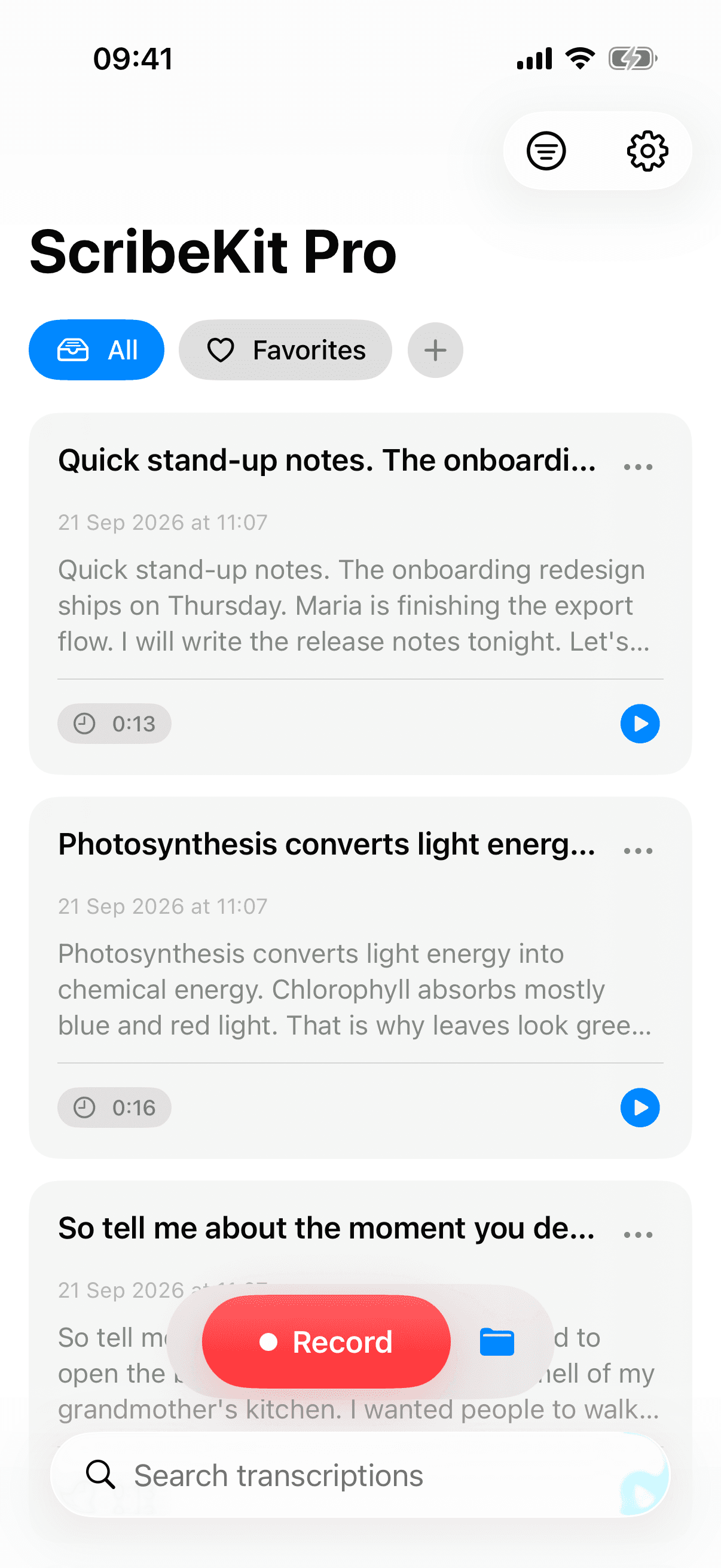
Every recording, transcribed on your phone. 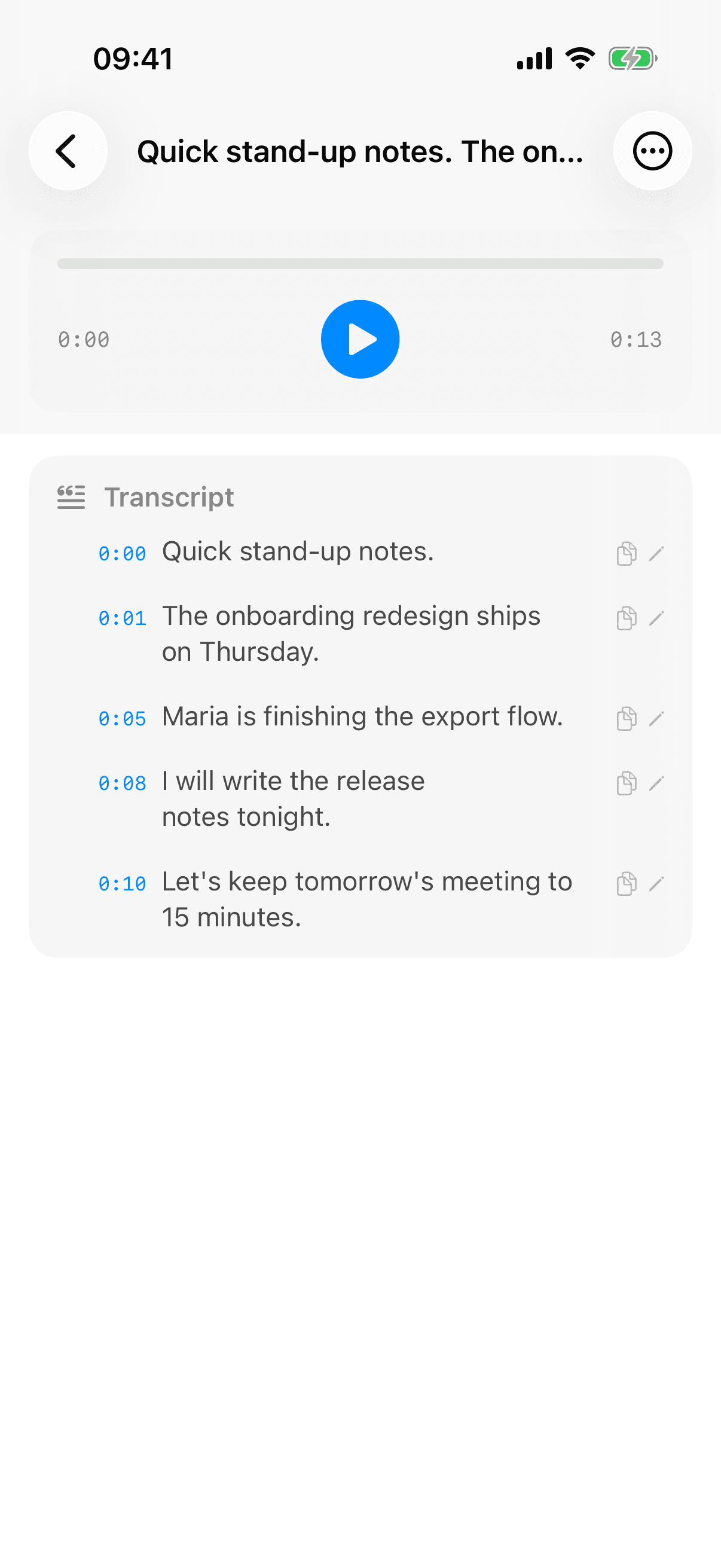
Tap a line, hear the audio behind it. 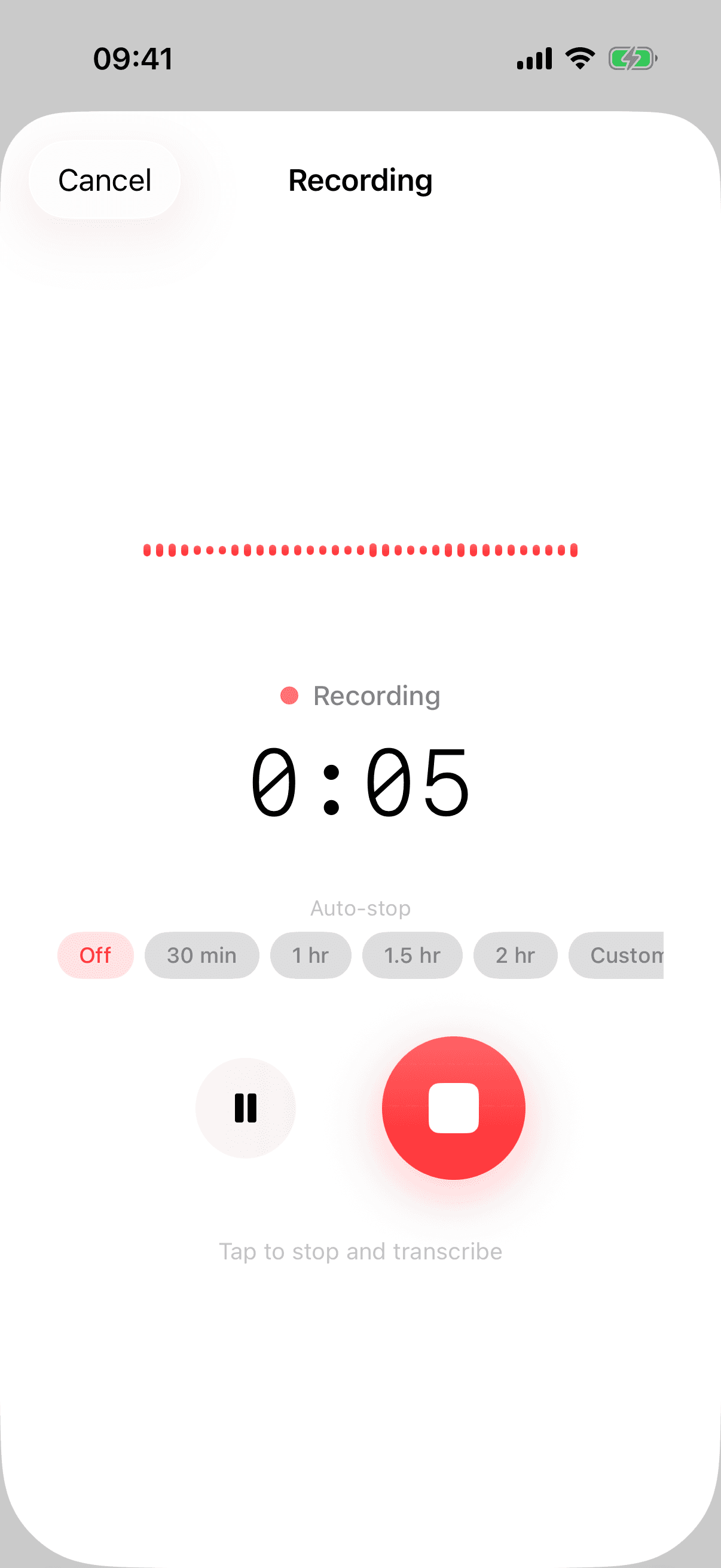
Record. Nothing else happens. 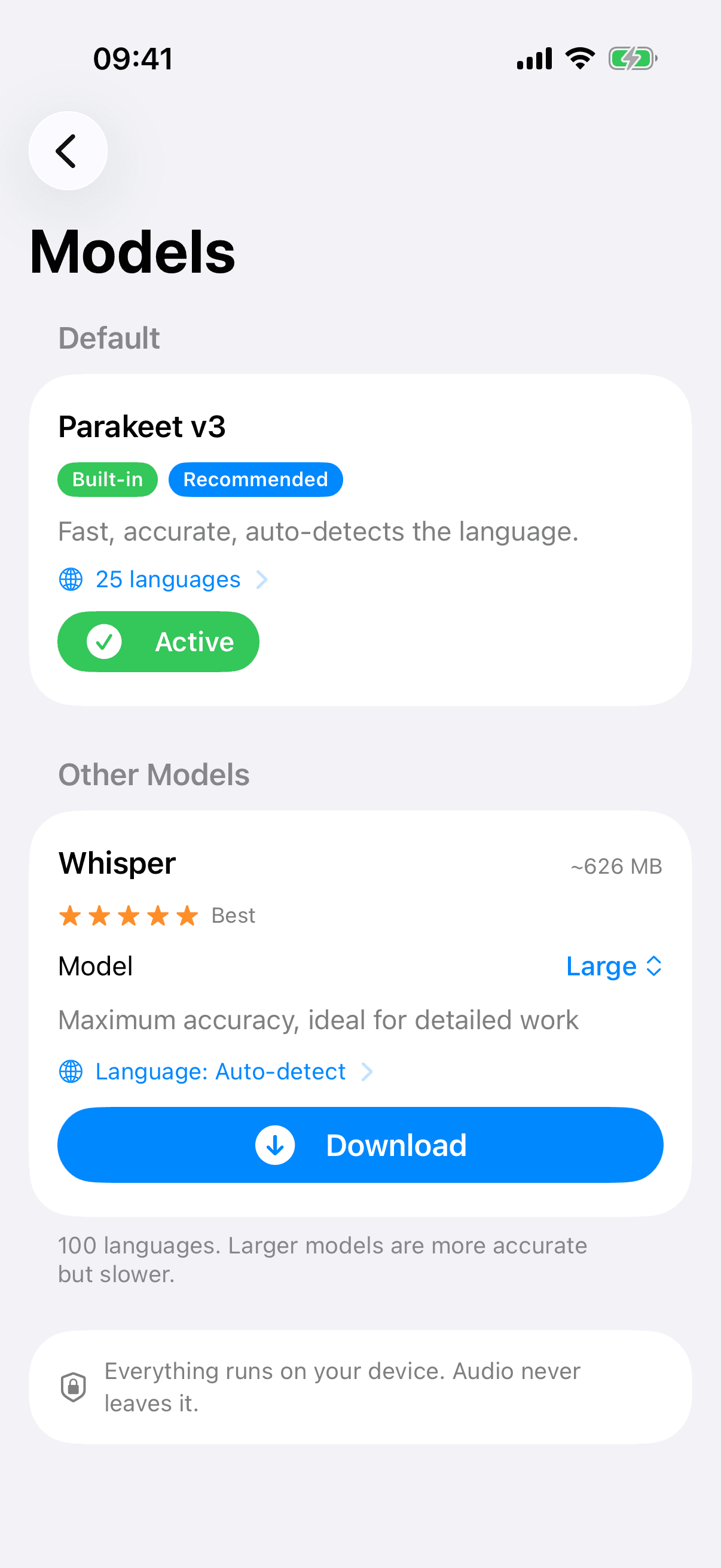
One model built in. Five more if you want them. 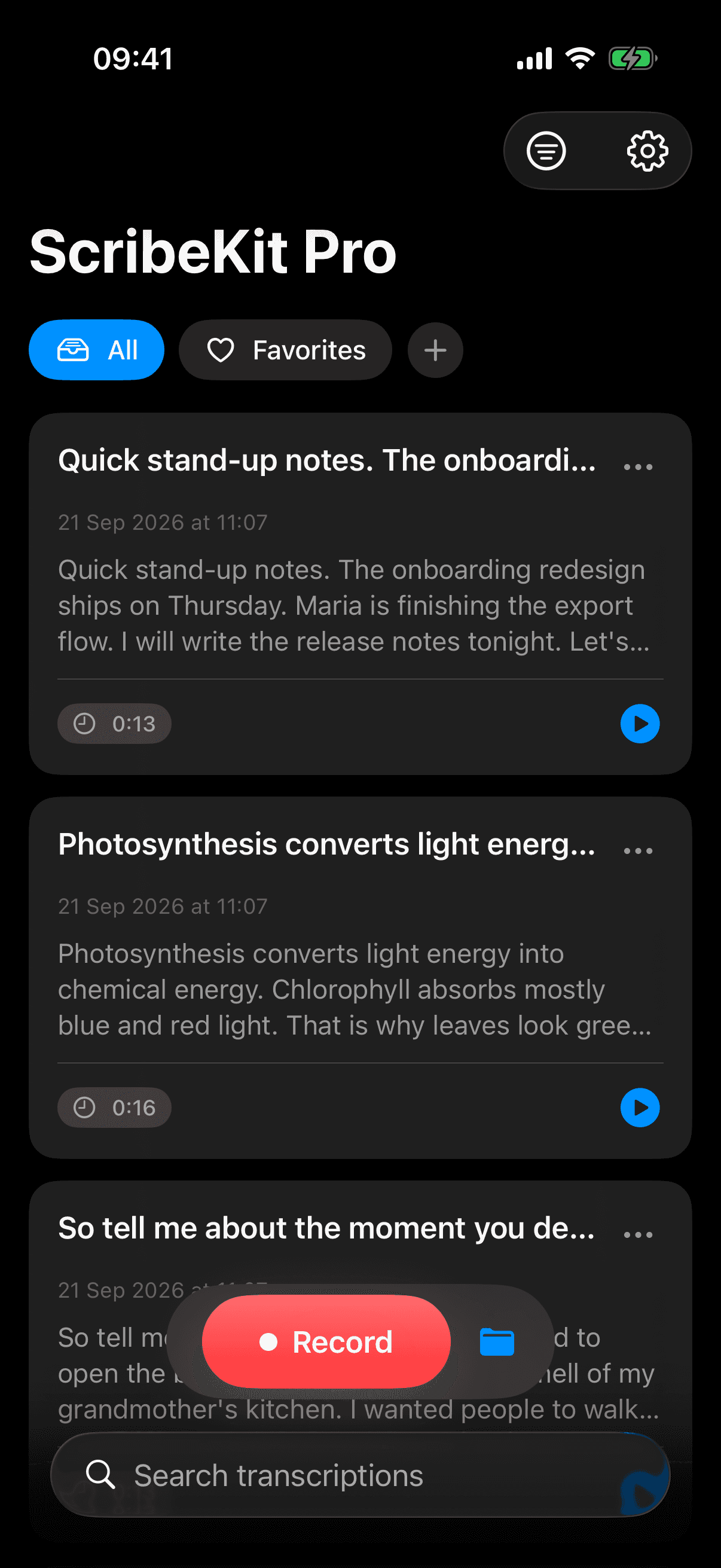
Quietly at home, day or night.
Privacy is the architecture.
- Every recording is transcribed on your device. Audio and transcripts are never uploaded.
- No account, no email, no sign-up.
- No analytics. No crash reporting. No telemetry.
- Purchases are handled by Apple. Only an anonymous purchase record reaches RevenueCat so Pro can be restored. Never your recordings, never your identity.
- Built for recordings that aren’t yours to share: interviews, consultations, session notes. No third party ever receives the audio.
Free to use. Pro if you need more.
Everything runs on your device either way.
Free
$0forever
No account, no ads.
- 10 new transcriptions a month, 25 languages
- Recordings and imports up to 30 minutes
- Timestamps, playback, search, sharing
ScribeKit Pro
$9.99a year
7-day free trial, cancel anytime.
Everything in Free, plus:
- Unlimited transcriptions
- Recordings and imports up to 3 hours
- Whisper models, 100+ languages
- Folders, widgets, ZIP export
Other ways to pay
- Monthly
- $1.99 a month
- Lifetime
- $19.99 once

Download free, upgrade inside the app. Subscriptions renew until cancelled in your Apple Account settings. Prices in US dollars; they vary by country.
Guides and use cases.
How people use ScribeKit, and answers to the questions we hear most.
- ScribeKit for journalistsInterview transcription that protects your sourcesTranscribe interview audio to text on your iPhone without uploading it. The threat model, what FPF, RJI and CPJ advise, a source-safe workflow, and the limits.Read
- ScribeKit for studentsRecord and transcribe lectures on iPhone, offlineWith permission, record a lecture on your iPhone and turn the audio into searchable text on the phone itself. Free in 25 languages, no Wi-Fi or account needed.Read
- ScribeKit for therapistsPrivate session notes on iPhone: transcription that never leaves the deviceSearching for a HIPAA compliant transcription app? What HHS says about apps and BAAs, why cloud upload is a disclosure, and how to keep session audio on iPhone.Read
- GuideIs your transcription app really offline? A 5-minute Airplane Mode testDoes your transcription app work with no internet? A 5-minute Airplane Mode test you run yourself, and what App Privacy labels and App Privacy Report prove.Read
- GuideDictation vs transcription on iPhone: what's the difference, and which should you use?Dictation vs transcription: dictation types your words live into any text field; transcription turns a recording into timestamped text. Which to use on iPhone.Read
- GuideOffline transcription on iPhone: how it works and what to look for (2026)Is there an offline transcription app for iPhone? Yes. How on-device speech to text works, its trade-offs, and eight things to check before you trust an app.Read
Frequently asked questions.
Is ScribeKit free?
Yes. Ten new transcriptions a month in 25 languages are free, for recordings and imports up to 30 minutes, with no account and no ads. ScribeKit Pro is optional: it removes the monthly limit and adds 3-hour recordings, Whisper models, folders, widgets and ZIP export.
How accurate is the transcription?
ScribeKit ships with NVIDIA’s Parakeet model, one of the most accurate open speech models for English and 24 other European languages, and optionally OpenAI’s Whisper for 100+ languages. Accuracy depends on audio quality, accents and background noise; clean speech comes out close to a human transcript.
Does it really work without internet?
Yes. The built-in model is inside the app, so you can record and transcribe in airplane mode from the first launch. Online, ScribeKit only checks your Pro status (an anonymous ID and purchase history, never audio or text) and downloads optional Whisper models when you ask for them.
Which languages does it understand?
The built-in model covers 25 languages with automatic detection, including English, German, French, Spanish, Italian, Portuguese, Dutch, Polish, Swedish, Russian and Ukrainian. Whisper models (Pro) extend that to 100+ languages.
Can it transcribe my Voice Memos?
Yes. Open a recording in Voice Memos, tap Share, and choose ScribeKit. It works on any iPhone that runs iOS 18, in any of the 25 built-in languages, including the ones Voice Memos’ own transcript doesn’t cover.
Do I need an account?
No. There is no sign-up, no email and no login. Open the app and record.
Which devices does it support?
Any iPhone or iPad that runs iOS 18 or later, including iPhone 11. The app is about half a gigabyte because the speech model ships inside it. Newer chips transcribe faster.
What audio formats can I import?
Anything iOS can play: m4a, mp3, wav, aiff, caf and more. Import from Files, or share a file to ScribeKit from any app.
What does ScribeKit Pro cost?
$1.99 a month, $9.99 a year with a 7-day free trial, or $19.99 once for lifetime access. Subscriptions renew automatically unless cancelled at least 24 hours before the period ends; manage them in your Apple Account settings. Prices vary by country.
Can I use it for confidential or regulated work?
ScribeKit never sends audio or transcripts to anyone, so no third party processes your recordings. Compliance with rules like HIPAA covers more than one app, though, so check with your compliance officer before using any tool for regulated work.
What about very long recordings?
Free covers recordings and imports up to 30 minutes each; ScribeKit Pro raises that to 3 hours (90 minutes while a Whisper model is active). Transcription time grows with the length of the audio, and a progress overlay shows how long it has been working.
More from trulyoffline.

Get ScribeKit.
Offline transcription that never uploads your voice. Free to download. ScribeKit Pro from $9.99 a year, or $19.99 once.